 Homedroid
Run a mail server on an old Android phone.
Homedroid can run Stalwart, a mail server with SMTP, IMAP and JMAP, on an old Android phone without root. A guided setup in the dashboard lists the DNS records to copy, checks the result and shows the settings for your mail apps. Most home internet providers block port 25, so you may need a relay to send mail.
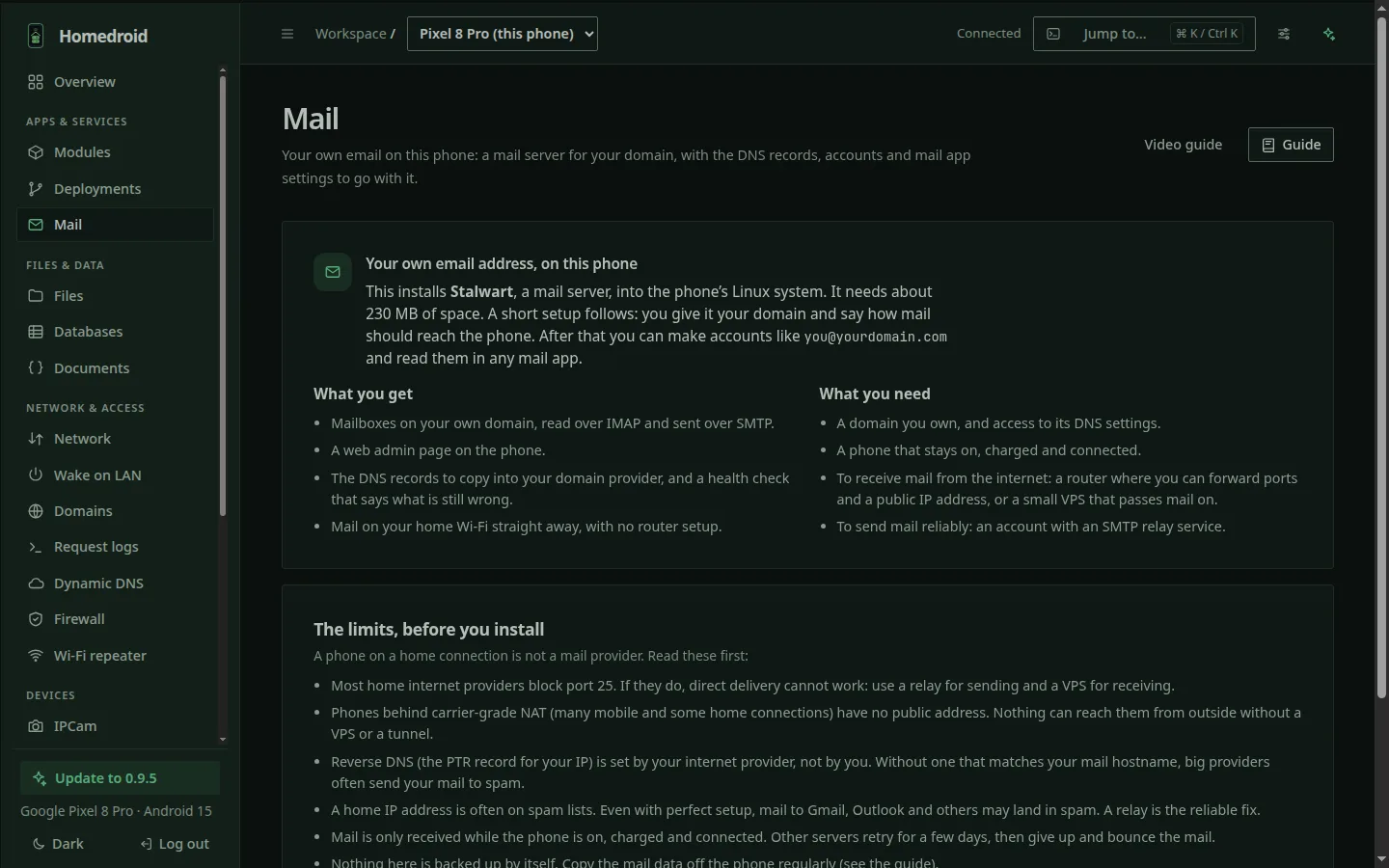
Install and set up Stalwart on the phone
Open Modules in the dashboard and install Mail server (Stalwart). It downloads about 70 MB and needs about 230 MB. The build is Stalwart’s official one for your phone’s CPU, pinned to one version and checked against its SHA-256. Nothing runs until you finish the setup. Then open Mail and answer the wizard: your domain, the mail hostname (normally mail.example.com) and how mail reaches the phone.
Copy the DNS records, then run the health check
The Mail page lists the A, MX, SPF, DKIM and DMARC records with the exact name and value and a copy button for each. The Check button looks at the running ports, the TLS certificate, your public address, reverse DNS and each record. It runs from the phone, so it cannot prove the internet can reach you. Send a real message from another provider to be sure.
Why port 25 is the hard part
Other mail servers deliver to port 25, and most home providers block it. Some connections have no public address at all (CGNAT). Gmail and Outlook also expect reverse DNS that only your provider can set, and home IP addresses are often on spam lists. Pick the route that fits:
| You have | Use |
|---|---|
| A public IP, port 25 open both ways, and a provider that sets reverse DNS | Direct from your home internet |
| A public IP, but port 25 blocked or Gmail rejects you | Send through a relay (Amazon SES, Mailgun, Brevo, Postmark). Incoming mail still arrives through your router. |
| No public IP, or port 25 blocked | Receive through a small VPS, plus a relay if you also want to send |
For most people a relay for sending is the dependable choice. Mail also arrives only while the phone is on, charged and online. Other servers retry for a few days, then bounce the message.
Ports and mail app settings
Android apps cannot open ports below 1024, so Stalwart listens on 2525 (SMTP), 2587 (submission, STARTTLS), 4650 (submission, TLS) and 9930 (IMAP over TLS). The web admin and JMAP are on 8825 over plain HTTP: keep that on your own network or Tailscale. The Mail page shows the exact settings for Thunderbird, Apple Mail, Outlook and phone mail apps, for use at home and from outside.
Back up, and know the limits
Stalwart needs more memory than most apps here, so phones with 2 GB of RAM or less may struggle. Everything lives in one folder inside Alpine and nothing copies it elsewhere for you, so back it up regularly. Homedroid cannot fetch a Let’s Encrypt certificate by itself; you can paste one you obtained elsewhere. The full mail server guide covers relays, VPS forwarding and troubleshooting. Requirements and ports are in the FAQ.